DiskInventoryY
A modern disk usage analyzer for macOS — Apple Silicon native, treemap visualization, multi-window.
Download for macOS▾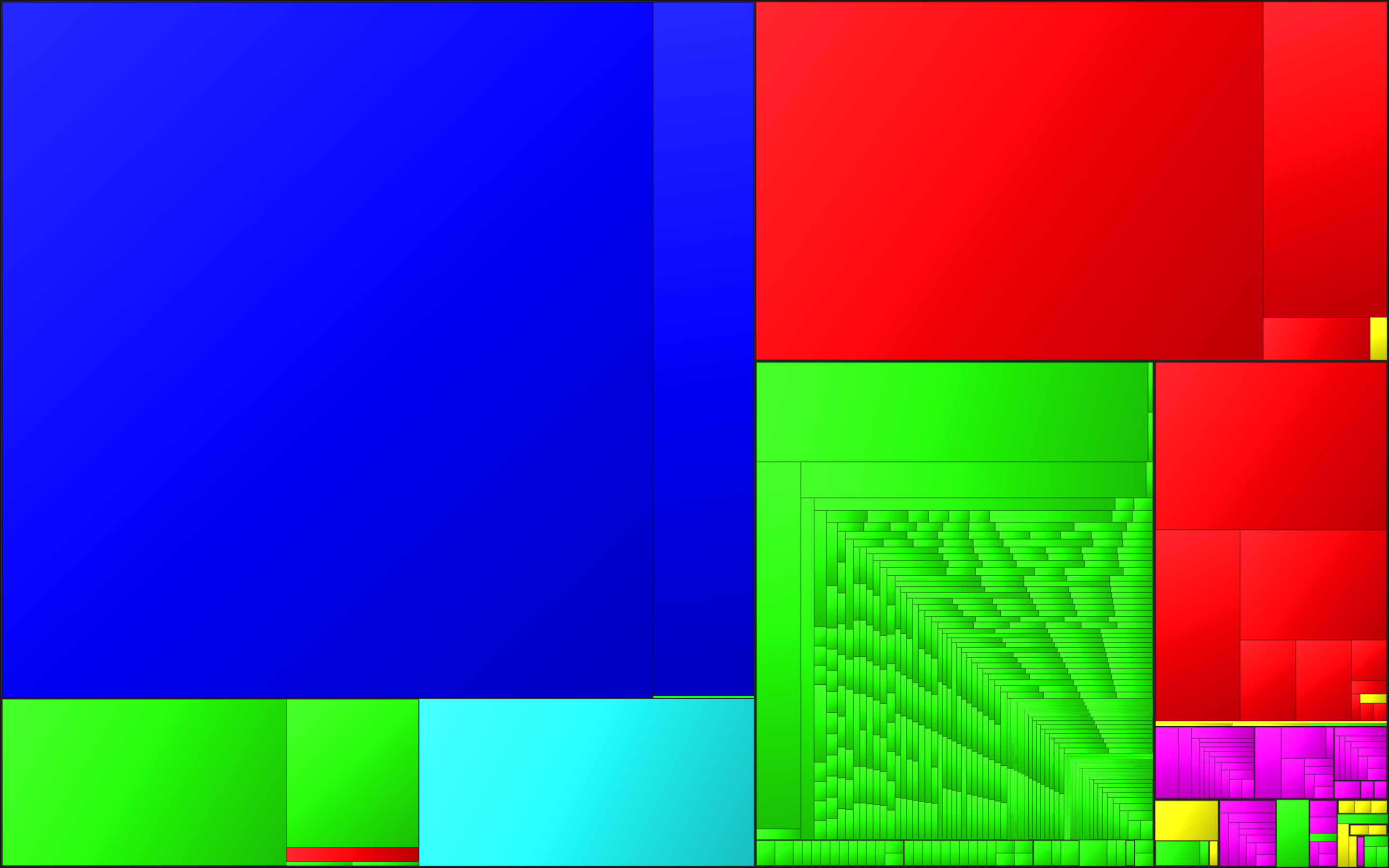
What it does
Squarified treemap
Every file shown as a colored cell sized by how much disk it takes. Color-by-kind (images, code, video, …) so big offenders pop out instantly.
The authentic DIX palette
Colors ported verbatim from Disk Inventory X's source and assigned by size rank — the dominant kind is always blue, the runner-up red. Feels like home.
Outline + inspector
NSOutlineView with sortable columns syncs with the treemap. Inspector panel shows physical & logical sizes, kind, modified date, and one-click Reveal / Open / Quick Look / Trash.
Multi-window
Each scan opens in its own restorable window. ⌘N starts a new scan; the empty landing window stays clean.
Kinds bar with one-tap filter
Tap any kind in the bottom bar to dim everything else in the treemap to 18% — instantly see where your images / videos / archives live.
Dark Mode aware
Cushion shading and per-depth contrast adapt automatically. Reduce Transparency / Reduce Motion respected.
Privacy by default
Runs entirely on-device. No telemetry, no crash reports, no network.
Requirements
- macOS
- Sonoma 14.0 or later
- Architecture
- Apple Silicon or Intel (universal)
- Full Disk Access
- Optional — needed to scan TCC-protected paths (Mail, Messages, system Library). The app surfaces a banner with a one-click deep link.
- License
- GPL-3.0-or-later
Origin
DiskInventoryY is a from-scratch Swift/SwiftUI rewrite of Disk Inventory X by Tjark Derlien — the beloved macOS disk-usage utility originally released in 2003 (source on GitLab). The treemap color palette is ported verbatim from DIX's FileTypeColors.m, and the squarified layout follows the algorithm popularized by KDirStat (Stefan Hundhammer), described in Bruls / Huijsen / van Wijk's 2000 paper. Cushion shading follows van Wijk & van de Wetering's 1999 INFOVIS paper.
Build from source
git clone https://github.com/agriev/diskinventoryy.git
cd diskinventoryy
brew install xcodegen   # one-time
xcodegen generate
open DiskInventoryY.xcodeproj
No third-party dependencies. Tests run with ⌘U.